SVG Maker for Editable Icons and Illustrations

Use the SVG maker to turn a description into editable vector artwork. Refine the result with AI or source edits, then download your SVG.

Loading studio…

From SVG Source to Vector Artwork

Inspect SVG source beside a rendered pelican cycling by the sea. This SVG maker example shows scalable shapes, layered color and a complete illustration in one editable document.

Loading example…

How to Use the SVG Maker

Create SVG Artwork

Describe the illustration

Name the subject, composition and colors you want. Specify a flat icon, diagram or other vector treatment, then keep the request focused on one illustration.

Review and refine

Generate the SVG and inspect its source and preview. Request a targeted revision when a detail needs changing, or edit the vector markup yourself.

Keep the vector file

Download SVG to retain its editable shapes and text. Save a project file with your accepted artwork and settings before moving to another design task.

An SVG Creator That Keeps Your Source Editable

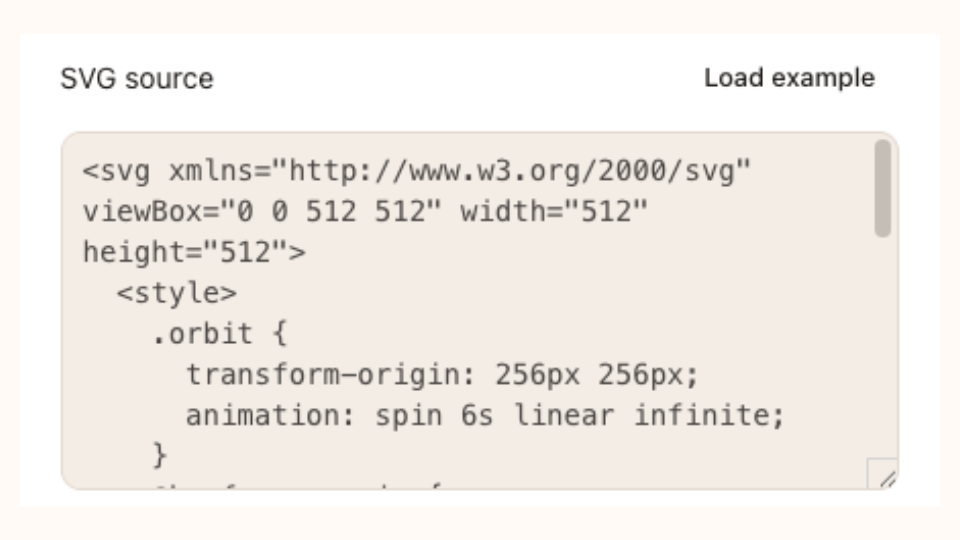
SVG source editor in SVG Animation

An AI Vector Generator for Icons and Diagrams

Give the SVG maker a subject, palette and visual direction. The AI SVG generator returns source you can inspect beside its preview, with shapes, spacing and colors available for changes before you use the artwork.

Create SVG Artwork

Metallic wordmark

Change a Detail while Keeping the Composition

Use Modify the current SVG in the SVG maker for a palette change or simpler graphic detail. Compare the returned source before accepting it, while manual changes remain available if you prefer your current version.

Create SVG Artwork
Penguin walking through a snowy Antarctic landscape

Take AI SVG Artwork into Your Next Design

Download artwork from the SVG maker as vector markup for a compatible design or web workflow. Check lettering, alignment and shapes at the intended display size, then keep a project copy for future versions.

Create SVG Artwork

Take Your SVG Maker Idea Further

Use an SVG maker that keeps the document available after generation. Inspect the source, adjust a visual detail and retain editable artwork for your next design task.

Give the Idea a Clear Shape

Describe a concrete subject, palette and composition. A focused request helps you judge whether the resulting illustration communicates what the design actually needs.

Inspect the Editable Source

Keep the vector markup alongside its preview. Paths, colors and text can be reviewed or changed without relying on one rendered image alone.

Mechanical identity design

Refine a Focused Detail

Request a specific change to the current SVG instead of replacing the whole direction. Compare the new artwork before deciding whether to accept it.

Keep Your Accepted Work

Manual edits stay protected while a new response arrives. Save the accepted project and download SVG so useful artwork remains available for another session.

Ready to add motion to your SVG? Continue with SVG Animation, or use your vector mark in Logo Animation.

SVG Maker Questions

SVG Animation logo

Create with the SVG Maker

Start with a subject and a clear visual direction. Review the SVG, refine one detail and keep editable artwork for the next step in your design.

Create SVG Artwork