Lottie Editor for Focused Animation Changes

Use the Lottie editor to adjust layer names, visibility and static colors. Trim the timeline, preview your changes and keep JSON, GIF or MP4.

Loading studio…

See a Color Change in the Same Animation

Compare the original orange fingerprint animation with a cyan version from the Lottie editor. The supported color replacement changes the accent while keeping the composition, shapes and existing keyframes intact.

Loading example…

How to Use the Lottie Editor

Open the editor

Load your composition

Upload a Lottie JSON file or paste the source. Inspect the preview and layer list to understand how the artwork is organized before making a change.

Make focused changes

Rename a layer, toggle its visibility or replace a supported color. Adjust the trim range and replay the sequence to check that the change works across the animation.

Save the edited result

Export JSON to keep the supported editable composition, or render a short GIF or MP4 for sharing. Save a portable project when you want to return to the workspace later.

A Lottie Editor for Focused Animation Changes

Lottie layer and color controls in SVG Animation

Review Layers in the Lottie Editor

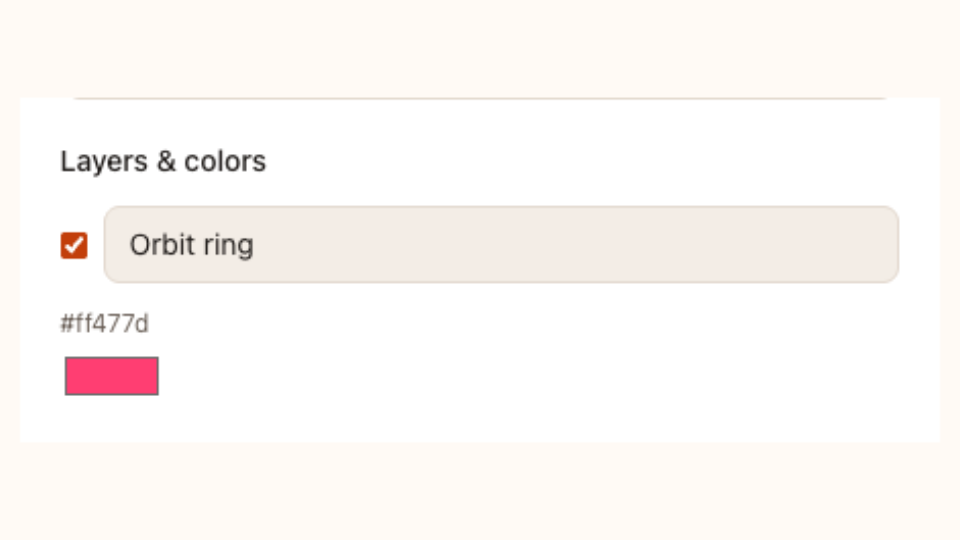
Use the Lottie editor layer list beside the animation preview. Rename a layer to clarify its role or hide it to inspect its contribution, then keep the supported changes in an editable JSON download.

Open the editor


Bitcoin icon

Update a Color with Context

Replace a supported static color in the Lottie editor and replay the full sequence. Review every shape that shares the value, then compare the result with your original JSON before accepting the new palette.

Open the editor
Globe icon

Trim for a Shorter Use

Select a trim range in the Lottie editor and check the new opening and closing states. Keep JSON for a compatible player, or export GIF and MP4 when your audience needs rendered motion in a familiar format.

Open the editor

Keep Lottie Editor Changes Easy to Review

Use the Lottie editor for a targeted adjustment to an existing file. Keep the source, see changes in context and prepare an editable or rendered handoff.

Name layers clearly

Inspect a change beside its playback. A clear source and preview help you decide whether the adjustment suits the whole composition throughout its motion.

Review color changes

Keep JSON source available after export. Another color, layer visibility or trim change can start from the file you already refined and saved.

Weather icon

Keep an editable source

Export JSON when you need to use the animation in a player or continue working with its supported structure later.

Make local edits freely

Layer, color and trim changes do not use AI credits. Save a project before closing when you want to preserve the working state.

Check the edited JSON in Lottie Preview, or export a looping version with JSON to GIF.

Lottie Editor Questions

SVG Animation logo

Open Your Animation in the Lottie Editor

Bring in your existing JSON, make a focused change and keep the editable source alongside your chosen GIF or video export.

Open the editor